Team Plan
The team plan is designed for teams to work together using the Roo Code suite, be it the Extension, Cloud or a combination of both.
It allows for:
- Centralized LLM inference billing without managing API keys (with the Roo Code Cloud Provider)
- Team-wide task history and token usage analytics
- Shared Cloud Agent team (with centralized billing)
- Centralized integration with Github and Slack (not one per user)
- Extension configuration enforcement (providers/models, MCP servers and more)
Access
You can access Team functionality by starting a free 14-day trial.
If you already have a Roo Code Cloud account, you can upgrade here. If you don't, sign up from our pricing page.
Capabilities
Most of the team functionality can be accessed from your Organization Settings page (from your user avatar menu)
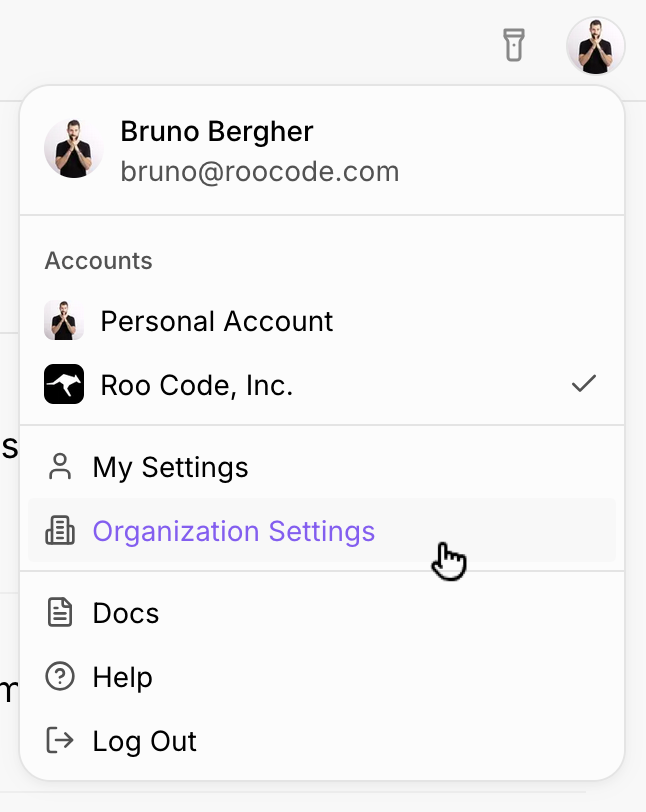
From there, you'll be able to access all of the available settings:
| Setting | Purpose |
|---|---|
| Team Members | Invite, remove and manage permissions for team members (Admin or regular member) |
| Organization profile details | Logo, name, etc |
| Integrations | |
| Cloud Model Providers | For use with Cloud Agents |
| Extension Task Sync | Whether to require task syncing, and visibility controls for who can see each others' tasks |
| Task Sharing | Whether per-task sharing is enabled, to whom and link expiration time |
| Environment Variables | Optional values to make available to Cloud Agents during runs, such as connection strings, package manager server URLs, keys, secrets, etc. Encrypted in our secure secret store. |
| Marketplace MCPs | Allow/deny-list MCPs from the Roo Code marketplace to make available for team members. |
| Custom MCPs | Custom, vetted MCP servers to make available to all team members. |
| Extension Providers | Allow/deny-list inference Providers to be made available to team members. Centralized API key management isn't currently supported, but let us know if you need it. |
| Organization Connection Policy | Mechanism to require Roo Code VS Code Extension users to be logged in, so policies can be enforced. Works via a file to be distributed via our MDM tool. |
Additional Team plan functionality is available in:
- Usage Analytics (showing team-wide activity and per-user filters)
- Task lists (in the Home and Agent pages, showing team-wide tasks)
We're constantly expanding and tweaking team-oriented functionality, so if you need something else, don't hesitate to get in touch via support@roocode.com.